
After 2 years of intense development and testing, we have released the new stable version of ZynthianOS. Its name is Vangelis, tribute to the great Envangelos Odysseas Papathanassiou, and it comes plenty of new features and improvements.
Let me introduce the more relevant ones…
The Launcher
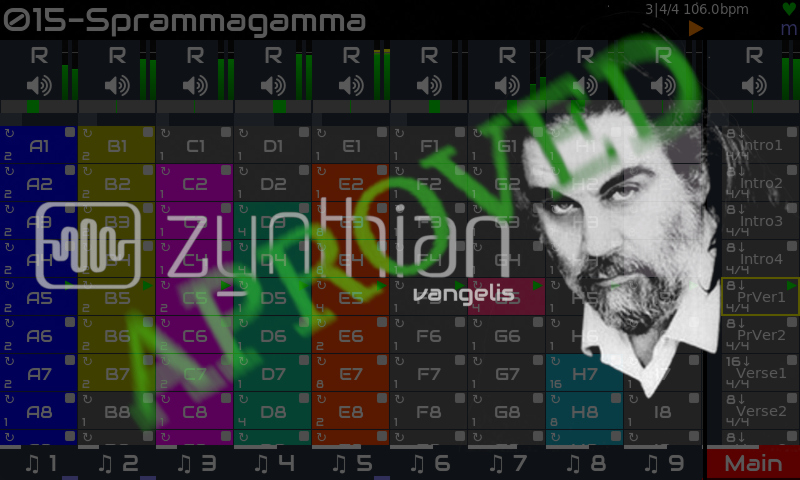
The new Launcher grid replaces the former Zynpad. It takes some ideas from the Ableton Live’s session view, adapting it to the zynthian arena.
Launcher’s columns match the existing chains. For synth & MIDI chains, cells contain step sequencer patterns. For clip launcher chains (see below), cells contain audio-clips. The main’s column is composed of phrase launchers.
Rows are called “phrases” and they are similar to Ableton Live’s scenes. You can start/stop a phrase by pressing the corresponding phrase launcher, on the main’s column. Phrases can be automated in several ways to create full songs, including loops, coda sections, time signature and tempo changes. The launcher replaces, partially, the former Arranger view, that has been temporary removed.
The Audio-Clip engine
The new audio-clip engine implements long awaited features like beat-syncing, auto warping (automatic time-stretching matching BPM) and beat-slicing.
When you load a new sample, it tries to figure the BPM from the file name, auto-warping as needed to fit the wave into current tempo. You can do it while playing other sequences and clips, or replace a playing clip on-the-fly.
You can compose a piece using samples & loops mixed with step sequencer patterns. Or you can play a live techno session using a massive loop collection (see collections below). Use it as you like, but enjoy it!
The Pattern Editor
The pattern editor includes many new features and improvements, like:
- Internal clock resolution has been increased to 1920 PPQN. No more lack of timing precission!
- The CC editor has been rewritten from scratch to be more intuitive and easy to use, allowing the automation of any sound parameter, including mixer ones, like chain volume and balance. CC interpolation is fully implemented using the internal clock resolution of 1920 PPQN..
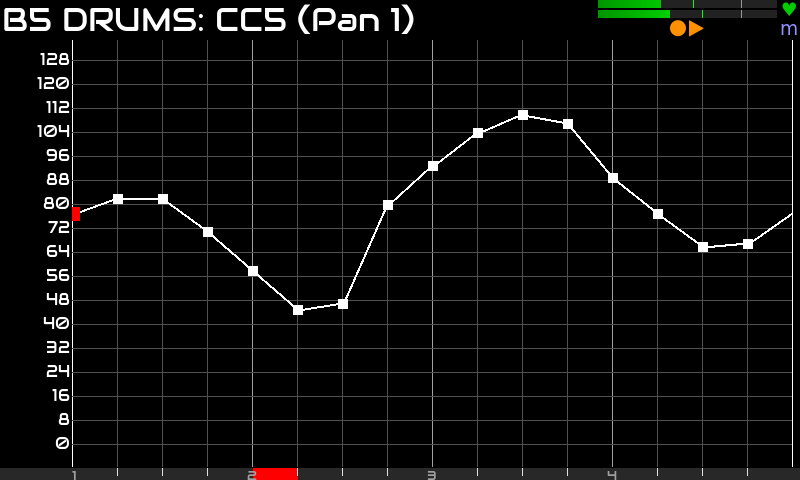
- Advanced stutter options allow applying velocity-ramp and speed-ramp effects to stutter.
- Per-note play/skip chance and frequency options have been improved and extended to stutter.
- The new block operations allow to select a block of notes to copy, cut, paste or multi-edit.
I’m talking too much. Perhaps it’s better to see all this in action, right?
The next video shows how to create a pattern importing from the SMF library and adding some stutter effects:
The next video shows how to add a basic bass line and add some pan automation.
The next one shows how to add per-drum pan automation:
The Grid Menus
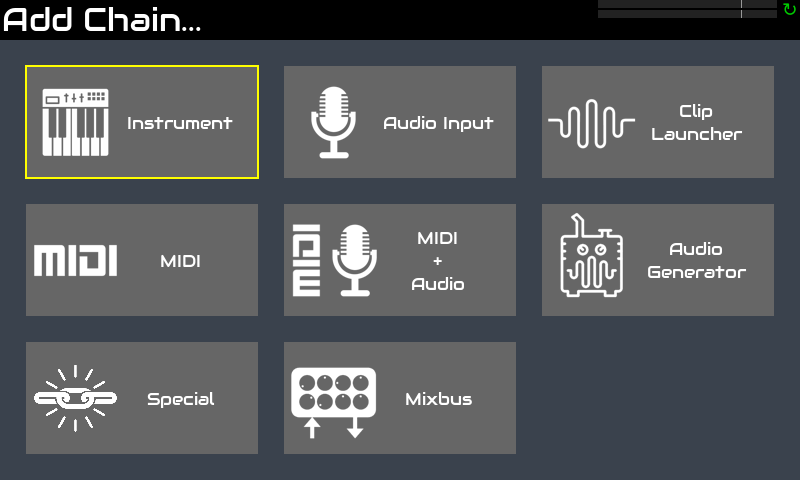
One of the more notorious improvements in usability and ergonomy is the use of grid menus instead of the tedious list menus zynthian used until now.
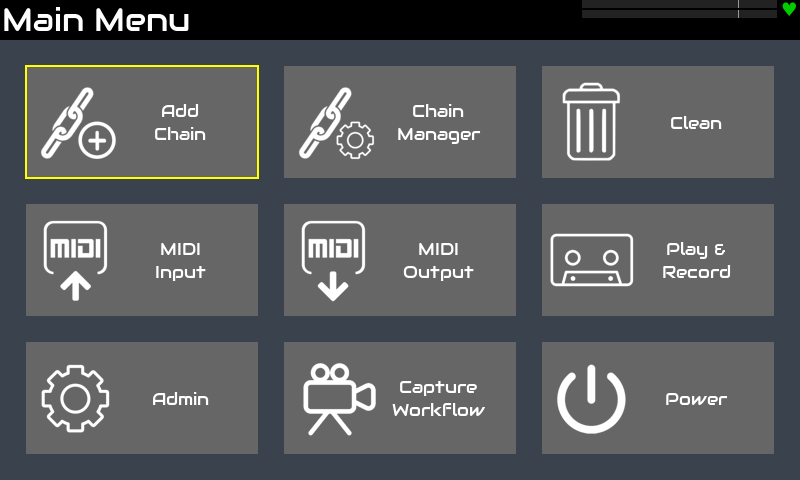
You will get used to these very fast as it’s much easier to remember where is the option you want. Human brain is very good associating icons and grid positions.
The Chain Config & Chain Manager views
The Chain Config view replaces the former chain options menu, simplifying and rationalizing chain management.
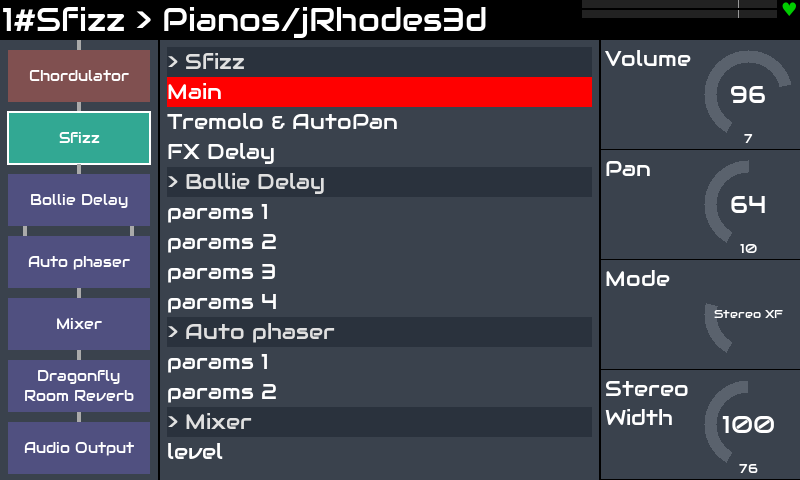
The chain blocks panel at left allows fast access to all chain and processor options.
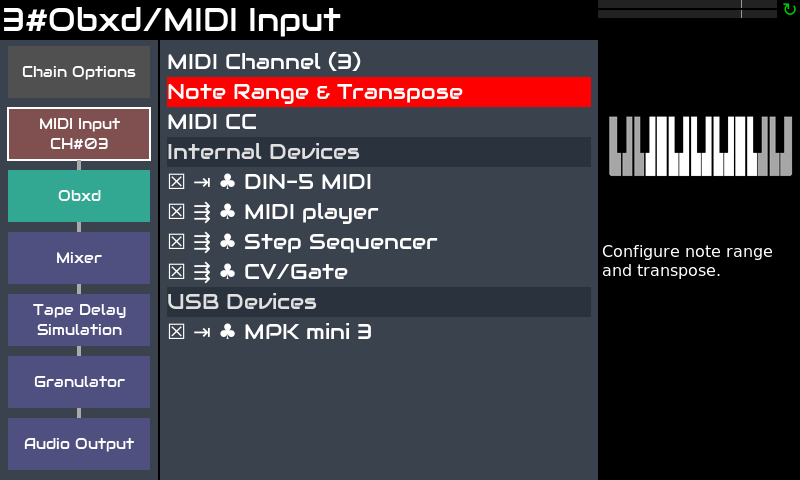
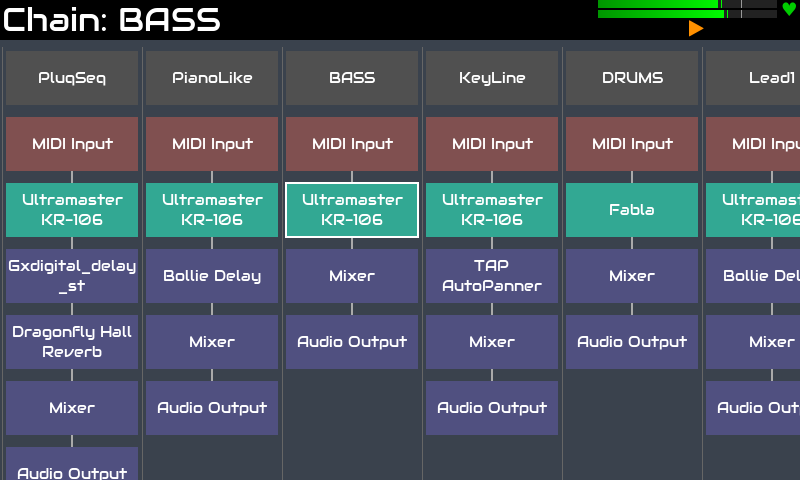
The chain manager view show all chains & processors in a single view. You can browse, select and configure all chain options and processors from there. Some will find this view overwhelming, but it could be very useful too!
The Performance View
Contributed by @KingParamount, the new Performance View and the associated improvements in ZS3 management will make happy to more han one keyboardist.
As you can see, this view has been specially designed for reharsal and gigging. Now you can add notes for each subsnapshot, and also change order, clone, etc. Read the forum thread to know all the details.
The On-Screen Contextual Help
Documentation has been always a major problem in zynthian. We develop new features constantly and keeping updated the user’s guide requires a extra focus and effort that most times we prefer to invest in developing more new features.
Documenting is boring. Coding is fun.
We have tried for years to use the wiki for the user’s guide, but we’ve never been satisfied, so we decided to try a new paradigm: given most zynthians have a decent screen, why not having an On-Screen Contextual Help System?
And now we have one. And you can access like this:
- V5: bold-push ALT button
- V4: long-push layer encoder
The system try to show a help page for the current view. Something like this:
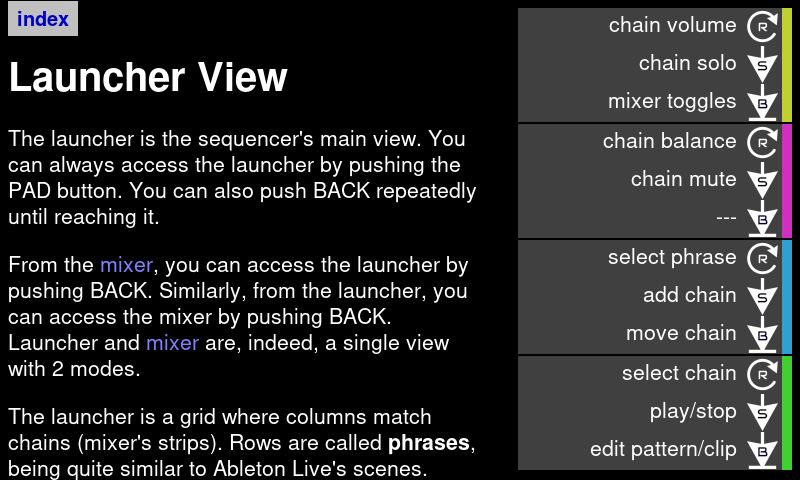
We decided to not have specific help pages for every view because now the right-side panel in the UI show contextual tips, so we don’t need to duplicate this in the help pages.
If a specific help page can’t be found, it would show a generic one:
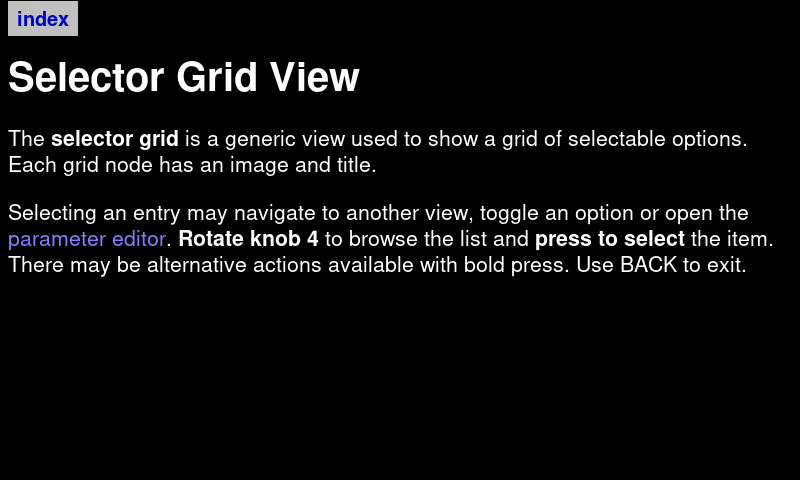
You can also access the index and learn the basic concepts:
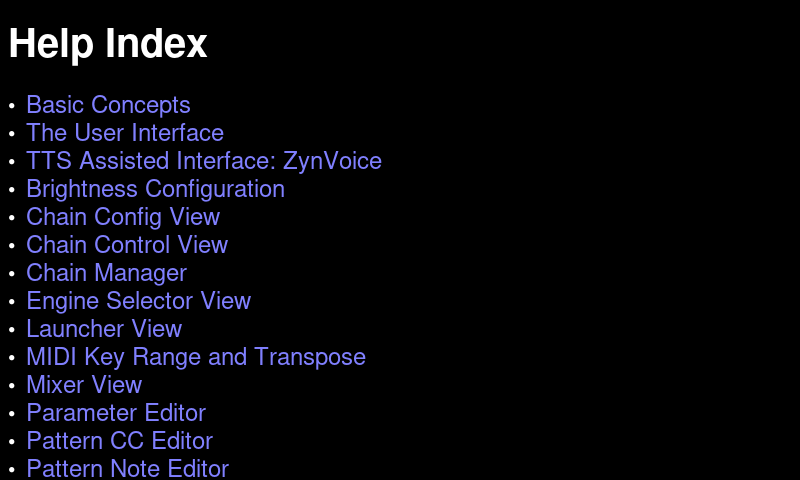
The helps pages can be accessed from the webconf tool, including extra screenshots, and they are also available on-line, including videos and AI-translation to several languages:
- Spanish
- German
- Portuguese
More translations are in the way.
We have created a repository for the help pages, and you can help us to improve and maintain these help pages by sending PR with your fixes / additions.
The Text-To-Speech navigation
Zynthian now has a rich text-to-speech assistant, called ZynVoice, designed for visual impaired users. ZynVoice allows full control using the hardware buttons and knobs with audible cues for guidance. Navigation and operation is assisted by spoken announcements and tones.
ZynVoice uses an extra audio interface or soundcard to provide an audio output separate to the main output. This gives a clean audio for production with ZynVoice announcements feeding the user’s personal monitoring.
Once you have connected and configured the zynvoice extra audio interface, you can enable the TTS in your zynthian like this:
- V5: Long push F4
- V4: Long push S4
The TTS interfaz is being tested by visually impaired users and we have had good critics. You can read more about this in the forum threads.
New Engines and Plugins
The list of included synth engines and plugins keeps growing up. And we have some stellar additions like:
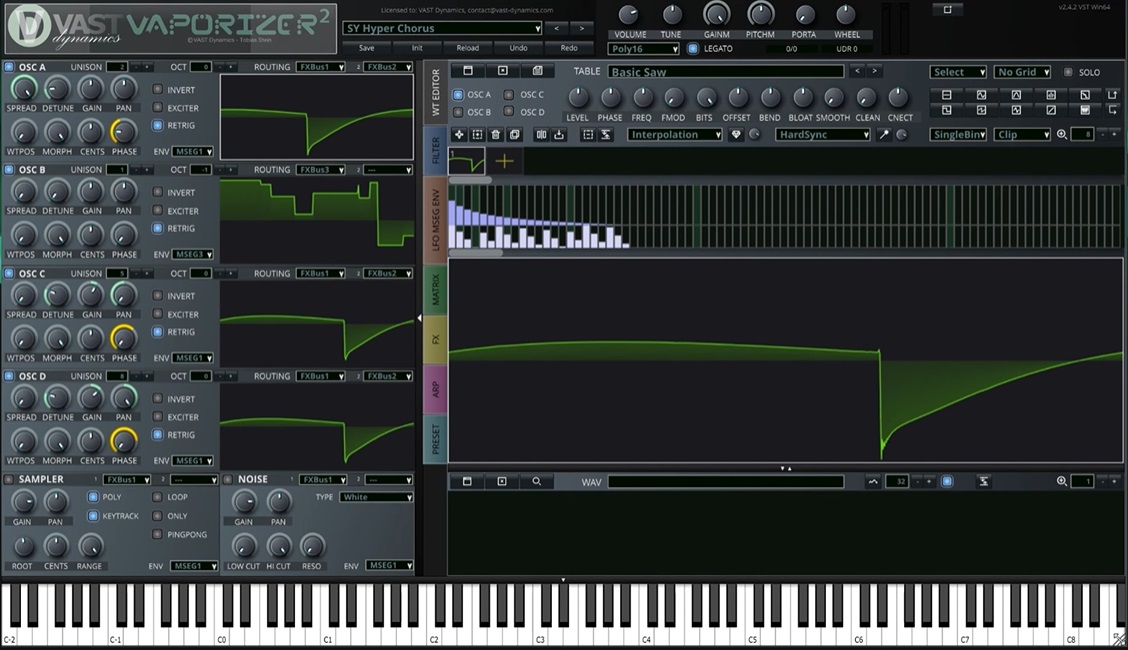
- Vaporizer2: Probably the most versatile wavetable synthesizer. An hybrid wavetable additive / subtractive synthesizer..
- Airwindows: Human-made bespoke digital audio. The list is so large and specific, that you need a special tool. Amazing!
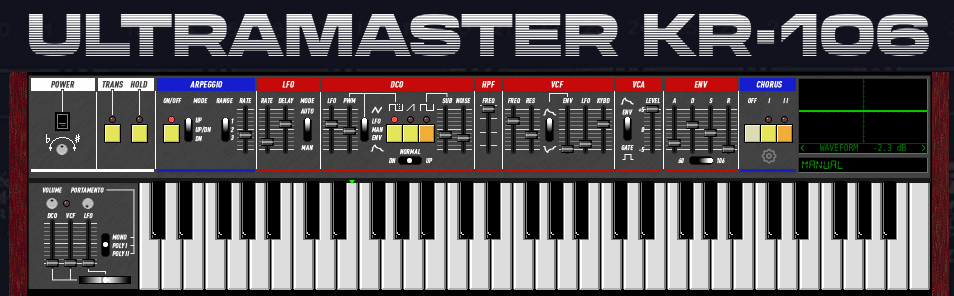
- Ultramaster KR-106: A curated emulation of the iconic Roland Juno synths. These guys have been a quarter century in the making!
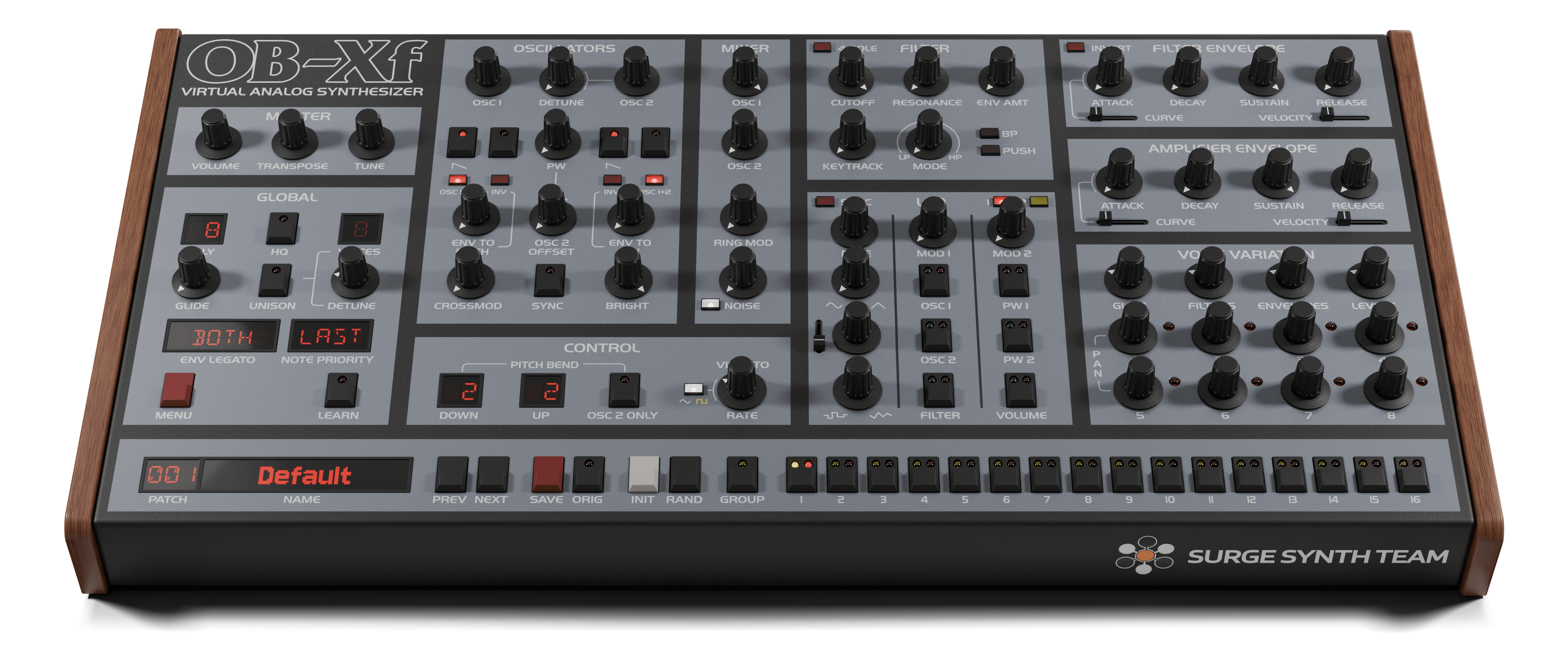
- OB-Xf: A continuation and modernization of the last open source release of OB-Xd. It is inspired by the venerable Oberheim OB-X.
And updates for many others like:
- MiMi-d
- Perfomix
- riban-lv2 suite
- etc.
The Zynthian Packages
Zynthian packages have been created to allow the modularization of audio assets like sample-based instruments, audio loops and IR models.
The factory collection of SFZ, SF2 & Drumkits has been converted into several packages and these packages comes pre-installed in the official zynthian SD image, but now you can uninstall them
You can browse the list available packages from the webconf tool and install and remove packages with a single click.
The package format is open, simple and well documented. Creating packages is easy and some users have started to contribute new packages. We have 45 and growing! Check the list using the on-line package browser.
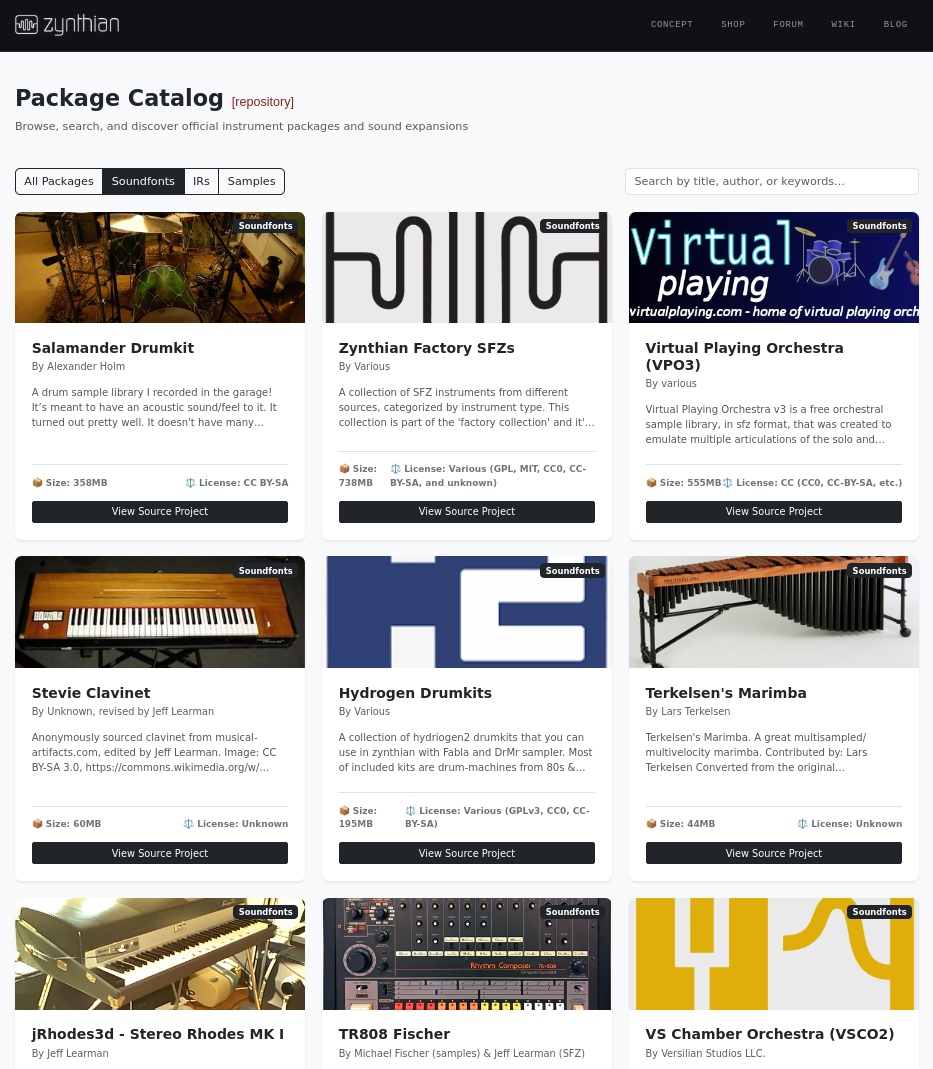
You can learn how to build packages and contribute by sending a PR to the official zynthian package repository.
And much much more…
- Preset Preloading is now automatic when moving across the list, except for soundfont engines that keep the orignal “note-on-preload” behaviour.
- Linuxsampler has been disabled by default and it’s restricted to GIG files. You can’t load SFZs with it anymore. Long life to sfizz!!
- Samplv1 is now the recommended MIDI-driven sampler. It’s has been totally integrated and offers a lot of functionality.
- Refactorized ZynSampler that has been simplified to focus in Audio Playback. The MIDI instrument functionality has been dropped and the name has changed to “Audio Player”, being available under the “Audio Generators > Others” category.
- Coherent “Bypass” control for all audio FXs. Now it’s a processor option too.
- Mixer improvements:
- Chain Mixer Processors
- Mixbuses
- Configurable top switch action (by default is not “solo” anymore but “record”)
- Pre-Fader Listening (PFL)
- A/B mixing.
- Better DPM graphics
- NAM A2 models are now supported using the updated NAM engine.
- A MIDI pattern library has been added, including chord progressions and drum patterns. More MIDI patterns are available as collection packages.
Check the related forum’s threads (this, this or this) to know all the details and if you want more, check the commit list in the code repositories.
Ahh! Of course:
Download Vangelis SD-card image
Special thanks to:
- Brian Walton (@riban) as the master architect and coder after most big improvements in vangelis. Get out of my mind, mate!!
- Jeff Learman (@jlearman) who has pushed really strong to improve the SFZ library
- Niels Giesen (@niels) for maintaining and improving Akai APC25 ctrldev drivers among others
- Pavel Vondřička (@wanthalf) for the many contributions and fixes
- @KingParamount for the fantastic new Performance View and improving ZS3s
- Chris Lyon (@wyleu) for being there and attendding our more spiritual needs
- All the forum users, that contribute by discussing and reporting. You all are the real inspiration of these achievements!.
Jofemodo