
Hello everyone! Zylvio & Jofemodo here!
Today we want to share a little adventure. An experiment that mixes acoustics,
curiosity, and a healthy amount of let’s see what happens.
The idea: use a Zynthian V5 unit for capturing, processing and using Impulse Responses.
That means:
- Generating the exciting signal
- Recording the response
- Processing the recorded response to get IR files we can use in our favorite IR-laoder
No laptop. No DAW. No excuses?
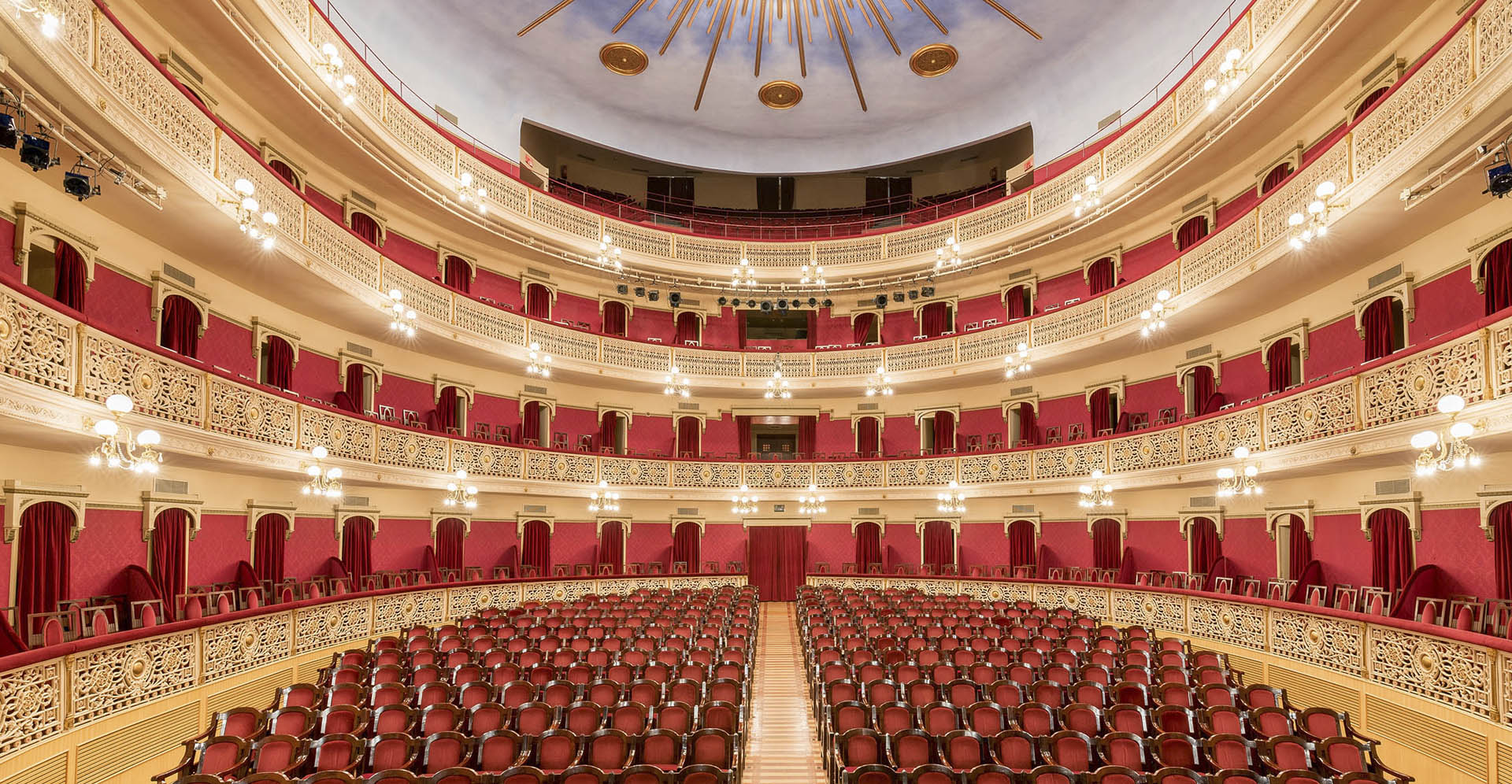
And the perfect place for such an experiment? None other than the gorgeous Teatre Fortuny in Reus (Spain), a space begging to have its reverb bottled and preserved inside a Zynthian.
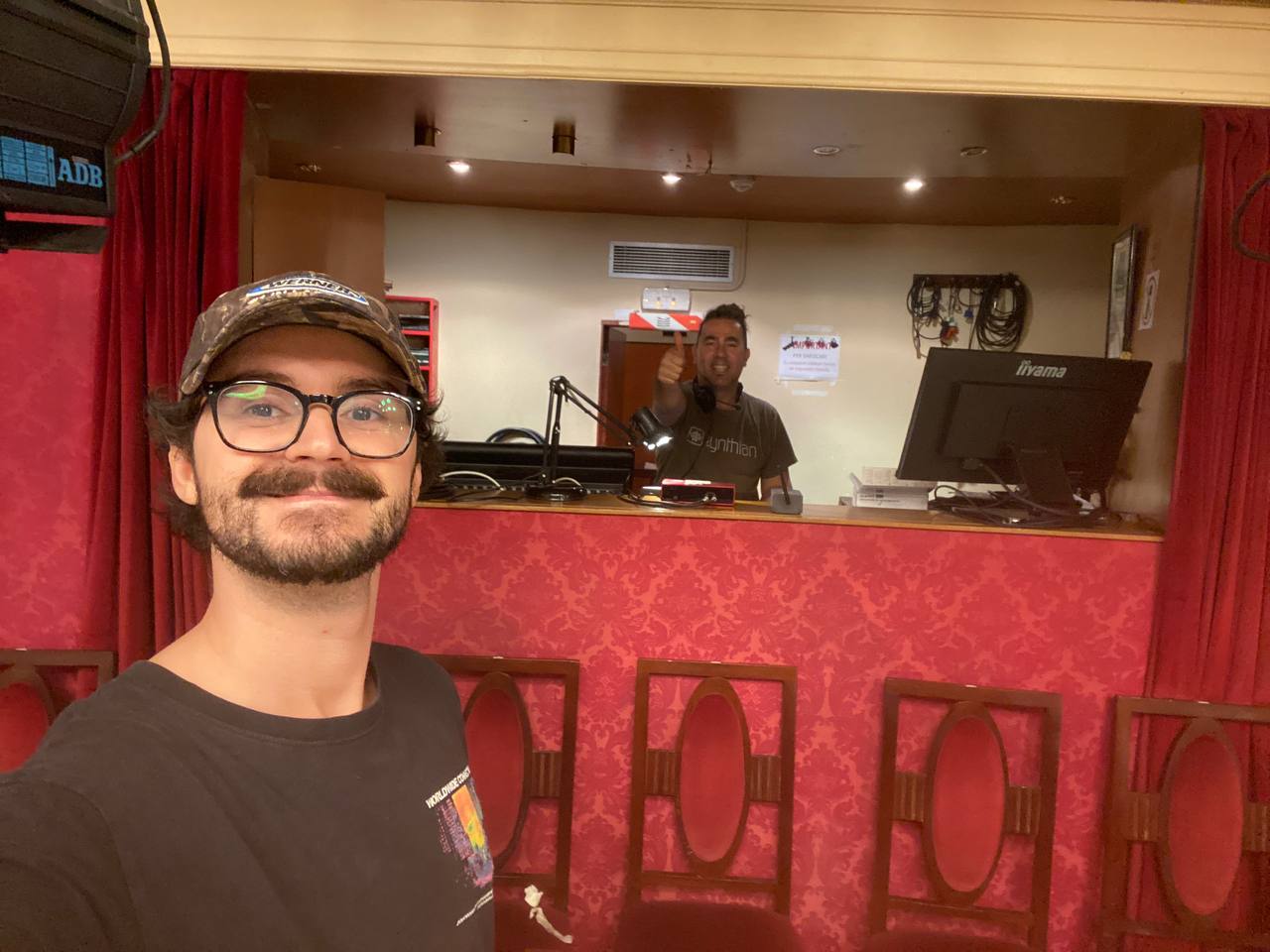
And the perpetrators? the habitual suspects: Jofemodo & Zylvio
Setting the Scene
The plan was simple: choose three positions along the central corridor of the theatre and capture the space in four different ways. So for each position:
- A sine sweep played through the theatre’s PA, recorded in stereo with small condenser mics.
- The same sweep recorded in mono with an AKG 414 XLS in omni position.
- A hand-clap recorded in stereo with small condenser mics.
- A hand-clap recorded in mono with an AKG 414 XLS in omni position.
Yes, the PA was used as the emitter. Yes, it colors the sound. No, we weren’t trying to be purists. This was more about exploration (and fun) than laboratory conditions.
The entire session was recorded through a humble Scarlett 2i2.
Deconvolving with Zynthian
To turn the sine-sweep recordings into usable IRs, Zynthian got a new trick: a “deconvolve” option.
The new “deconvolution” tool expects a specific layout for the audio file:
- Tracks 1–2 => excitation signal
- Tracks 3–4 => microphone capture (response)
so we configured the zynthian with 2 chains like this:
Chain 1 => Audio Generator Chain
=> Test Signal Generator processor
=> Enable Mixer’s Recorder
Chain 2 => Audio Input Chain
=> No processors
=> Enable Mixer’s Recorder
=> Configure Audio Input as needed, with 1 or 2 mics
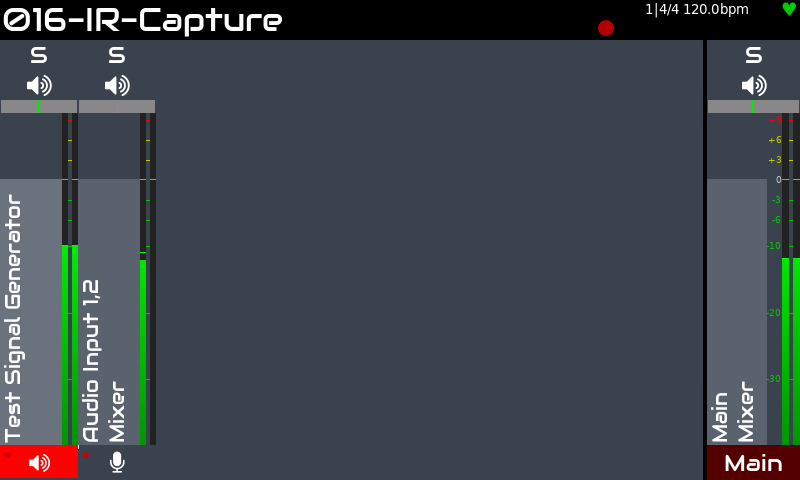
For recording, we simply used the REC button in the V5. Super-easy. When recording with 1 mic, the captured mono signal is duplicated on-the fly so the workflow stays completely consistent.
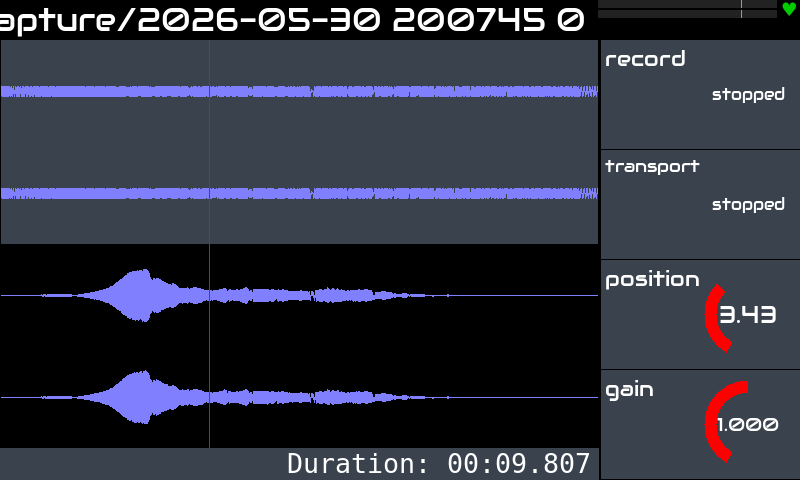
Then, you can deconvolve both signals to get the IR. From the audio captures list, bold-press on the audio file to get the options:
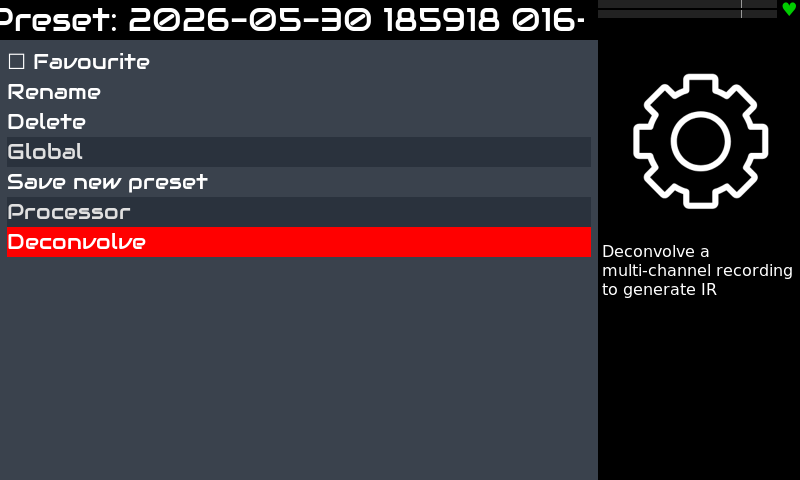
The “deconvolve” options is only shown for multi-track audio files with 4 or more tracks. The first 4 tracks are used as explained above.
And here an example of the resulting IR files, after deconvolution:
Capturing IRs directly
Recording IR’s directly is quite straight-forward. Just delete the Test Signal Generator chain, or better, make these simple changes:
- Mute Chain 1 (Test Signal Generator)
- Disable Mixer’s Recording on Chain 1
Regarding the exciting signal, the we decided to use simple and inconsistent “hands claps”. So the workflow we used is:
- Jofemodo starts recording
- Zylvio claps his hands from the stage
- Wait until reverberation ends …
- Jofemodo stops recording
OK! A clap recording example:
Of course, some gain adjustments are needed to get a good recording. This depends a lot on the gear used for the recording (mics, audio interface, space, etc.), so i’m not going to elaborate on this kind of details. Enough to say you need to put some care in these details.
And the result?
The sweep recordings produced shockingly clean IRs directly inside Zynthian. Only a few faint artifacts appeared in the very end of the tails, that can be easily trimmed away.
The clap recordings needed some trimming but a bug in zynsampler prevented we could trim the audio files with zynthian, so we used Audacity (excuse number 1), but the final IRs were bright, lively, and full of character 😉
In total, twelve IRs came out of the session. For each position, we got 4 IRs, as explained above:
- Stereo Sweep
- Stereo Clap
- Omni (mono) Sweep
- Omni Clap
Bringing the IRs to Life
To audition the results, the X42 Convolver Stereo plugin was used. You can find it in the Reverbs category inside Zynthian.
One quick tip: The default wet level is… well… enthusiastic. Dial it back to somewhere between −25 and −35 dB, and push the dry level slightly up. Much better.
Some patterns emerged:
- Sweep IRs → louder, fuller, more low-end.
- Clap IRs → brighter and more airy.
- Omni mic → more bass, more room energy.
Each one gives a different flavor of the hall.
And here a quick & dirty test of all IR’s using a little hammond loop. Excuse the clipping on some of them. I was not fast enough to adjust the wet level 😉
The IR collection is available as a package for zynthian (vangelis) that you can install from the webconf. You can also download the package from this link to use it with your favorite tool.
You can also read a related post in the zynthian forum.
A Small (But Important!) Disclaimer
This is not the “proper” way to capture impulse responses.
Real IR sessions use calibrated speakers, controlled SPL, precise measurement
tools… the whole serious-engineer toolkit.
But this method is fun, surprisingly effective, almost zynthian-powered, and a
great way to experiment with creating your own personalized reverbs.
So treat it as what it is: an exploration, not a scientific standard.
Zylvio & Jofemodo
That’s a great adventure! I tried to do the same (with my phone, it was an ad-hoc decision) in a church in the French Alps and then found this article. I did find it hard to get the x42 convolver to work, there appears to be no UI or settings anywhere, am I doing something wrong?
BTW, what theatre is that?